Intelligent add-ins built for modern Revit workflows.
Powerful tools that bridge the gap between Revit's capabilities and Users' requirements. While some add-ins function natively, our Premium Overlays sit on top of Revit, seamlessly super-charging the way the software works.

Vellum
Schedules on Steroids
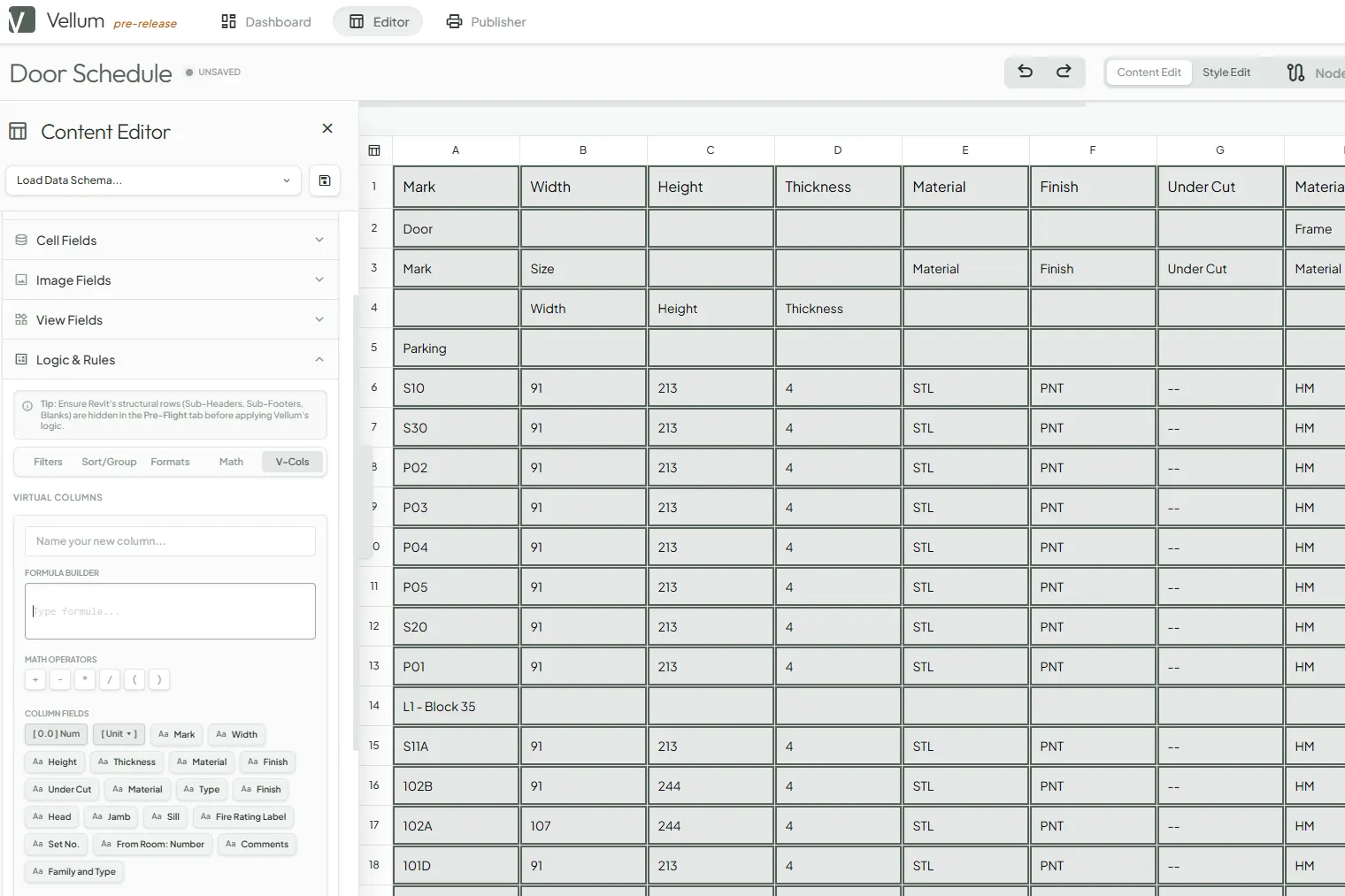
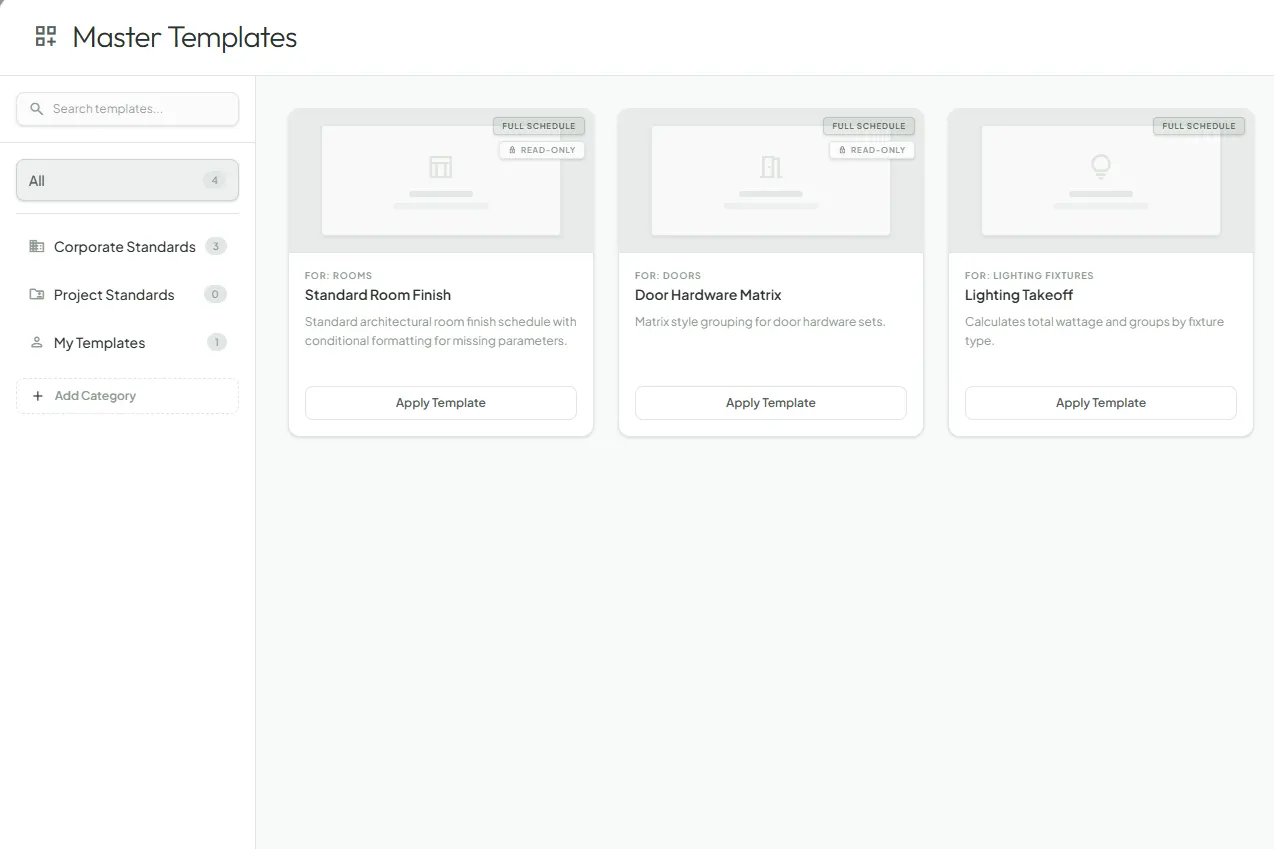
A comprehensive schedule editor that works natively with Revit. Customize content and styling, and export directly to Excel, CSV, PDF, or native Drafting Views.
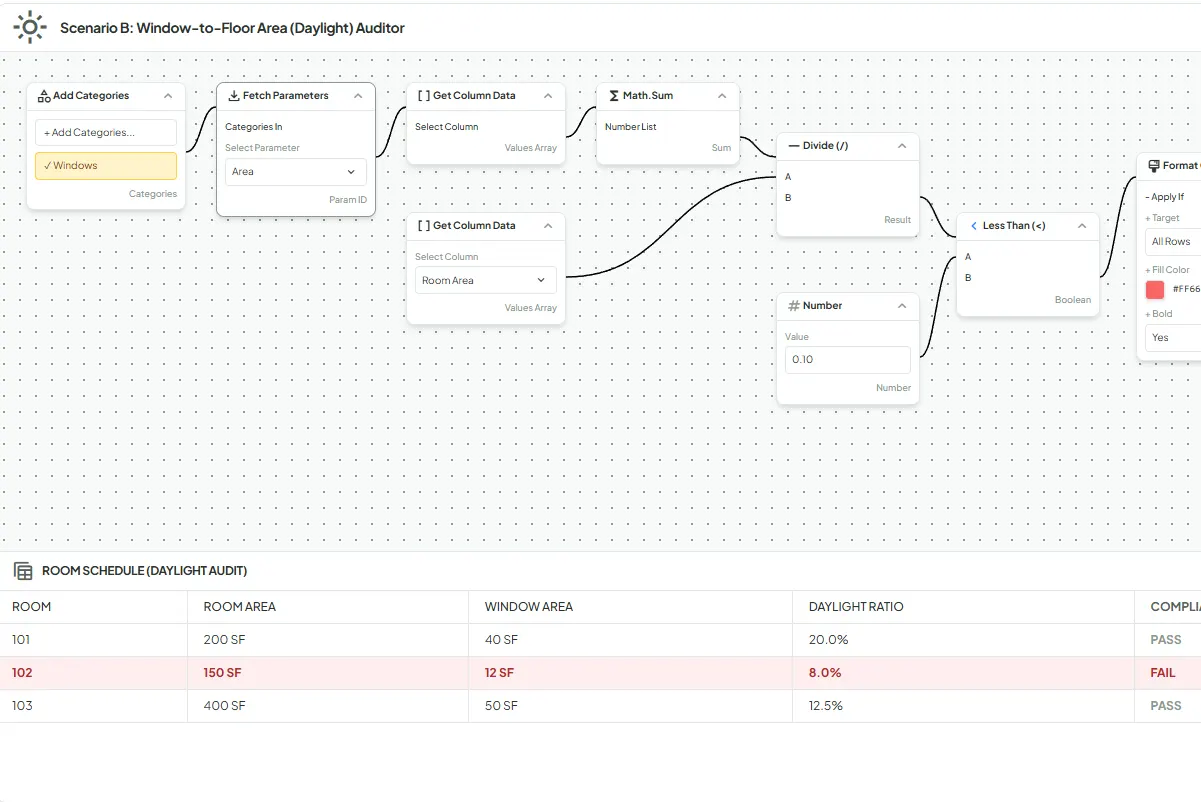
- ✓ Advanced Conditional Formatting
- ✓ Multi-Category Capable, including System Families
- ✓ Fully-Featured Typography, Background, Borders and Padding
- ✓ Insert Images or Revit Views and Add Styles.
- ✓ Node-Based Logic or Rules creation for Endless Possibilities.

Mylar
To Be Revealed Soon...
Sign up for NewsThis is a Designer/Architect-centric overlay that will be very much appreciated and that is very much lacking in Revit. Actual functionality of the tool will be revealed once it is ready for Beta Testing.
- ✓ Salient Features To Be Added Soon...
Core Add-ins Suite
Lightweight, powerful, single-purpose productivity tools built directly into the Revit interface to speed up tedious tasks.
Have a request for a new add-in? We build tools based on community feedback.
Request Tool
Finish Pattern Set-Out
Generate intelligent and complex patterns on Wall or Floor finishes automatically place Set-Out points, and generate Quantities and Schedules instantly.

Smart Array
Multi-type and editable family array tool. Path-based arrays, pattern-based arrays, and 3D-grid arrays with granular control over offsets, rotation, and alignment.

Smart Floor Finish
One-click automatic Floor Finish creation including custom separate Thresholds. Automatically height offset from existing sub-floor. BIM-ready for scheduling.

Smart Paint
Apply material paint like in the real world from finish floor to ceiling and generate accurate quantities. Swaps easily with Smart Slice to create complex patterns.

Smart Slice
Execute lightning-fast splits on finish surfaces based on Top and Bottom Level Constraints or Offsets. Slices can be made by Room or individual surface.

Smart Trim
One-stop tool for all your BIM-ready Wall Trim needs. Create Skirting against the wall, a Chair-Rail offset, or a Cornice at the ceiling junction with custom profiles.

Wall Finish Lines
Automate 2D representations of wall finishes in plan view. Complete automation of line types, colors, tagging and vertical layering of finishes.